
How To Cancel NSFAS Application Online: Complete Guide 2026. Applying for the National Student Financial Aid Scheme (NSFAS) is a significant step toward securing funding for your tertiary education. However, circumstances change. You might have accepted a bursary elsewhere, decided to take a gap year, or realized you no longer meet the academic requirements.
When this happens, knowing how to cancel NSFAS application online is crucial to maintaining a clean record with the funding scheme.
If you do not cancel your application properly, it can lead to complications with future applications, confusion regarding your funding status, or even administrative blocks on your myNSFAS account. This guide provides a step-by-step walkthrough on how to cancel your NSFAS application online in 2026, ensuring you handle the process correctly without falling victim to common errors or scams.
What Is NSFAS Application Cancellation Online? Why It Matters
The NSFAS (National Student Financial Aid Scheme) is a government entity that provides bursaries and loans to South African students who cannot afford to pay for higher education. When you submit an application, NSFAS begins processing your details to verify your household income, academic eligibility, and institutional acceptance.
Cancelling your application online means formally withdrawing your request for funding through the myNSFAS portal. This is different from being rejected by NSFAS; it is a voluntary action taken by the applicant.
Understanding how to cancel NSFAS application online matters because:
- It protects your future eligibility: If you apply again next year, NSFAS will see that you withdrew responsibly rather than abandoned your application.
- It prevents double funding: If you accepted a private bursary, failing to cancel NSFAS could result in an overpayment, which you might be required to pay back.
- It clears your account status: A pending application can lock you out of making changes or applying for other funding opportunities within the myNSFAS ecosystem.
Who This Topic Applies To
Not everyone needs to cancel their application. This guide is specifically for students who have already submitted an application for the 2026 academic year and now find themselves in one of the following categories:
- First-time applicants: Grade 12 learners who have changed their mind about the institution or course they applied for and need to withdraw to start fresh.
- Returning students: Current university or TVET college students who are funded by NSFAS but have decided to discontinue their studies or defer their enrollment.
- TVET College vs. University students: The process is the same for both, but TVET students often need to cancel if they are switching to a private college or a non-NSFAS-accredited institution.
- SASSA grant beneficiaries: While SASSA beneficiaries often qualify automatically, they still need to cancel their application if they are no longer planning to study, to avoid being flagged for funding they won’t use.
Requirements and Eligibility
Before you proceed with the cancellation, ensure you understand the basic eligibility criteria that originally applied to your application. While you do not need to meet these criteria to cancel, understanding them helps if you plan to reapply in the future.
- South African Citizenship: NSFAS is only available to South African citizens. If your citizenship status has changed, you must cancel your application.
- Household Income Threshold: The combined annual household income must be R350,000 or less (or R600,000 or less for students with disabilities). If your family’s income has recently increased above this threshold, you should cancel your application to avoid providing false information.
- Academic Requirements: You must have applied to a public university or TVET college. If you have decided to study at a private institution that is not funded by NSFAS, you must cancel your application.
- Special Cases: Students with disabilities or orphans may have different application procedures, but the cancellation process remains the same.
How To Cancel NSFAS Application Online (Step-by-Step Process)
Currently, NSFAS does not have a single “Cancel Application” button visible at all times. The cancellation process involves withdrawing your application through the myNSFAS portal. Follow these steps carefully to ensure your application is successfully withdrawn.
Step 1: Log In to Your myNSFAS Account
Navigate to the official NSFAS website (www.nsfas.org.za) and click on the “myNSFAS” tab. Enter your username (usually your ID number or email address) and your password. If you have forgotten your password, use the “Forgot Password” function to reset it before proceeding.
Step 2: Navigate to Your Application Status
Once logged in, you will be directed to your dashboard. Look for a tab or section labeled “Application Status,” “Track Application,” or “My Application.” Click here to view the details of your current application for the 2026 cycle.
Step 3: Locate the “Withdraw Application” Option
On the application status page, scan for a small link or button that says “Withdraw Application” or “Cancel Application.” Depending on the stage of your application, this option may appear near the bottom of the page. If your application has already been approved or rejected, this option might not be visible.
Step 4: Provide a Reason for Cancellation
If the withdrawal option is available, click it. A pop-up or new page will appear asking you to select a reason for the cancellation. Common reasons include:
- I no longer plan to study in 2026.
- I have accepted alternative funding (e.g., private bursary).
- I no longer meet the eligibility requirements.
Choose the most accurate reason. This information helps NSFAS improve their processes.
Step 5: Submit and Confirm
After selecting the reason, click “Submit” or “Confirm Withdrawal.” You should receive a confirmation message on the screen stating that your application has been successfully withdrawn.
Step 6: Check Your Email for Confirmation
Within 24 to 48 hours, NSFAS will send a confirmation email to the address linked to your myNSFAS account. Keep this email as proof of cancellation. If you do not receive it, contact the NSFAS contact centre to confirm the status.
Documents Needed to Cancel NSFAS Application
Surprisingly, you do not need to upload any new documents to simply cancel an existing application. However, if your cancellation is due to a change in circumstances that might affect a future application, you should keep the following documents for your records:
- Proof of alternative funding: If you are canceling because you received a private bursary, keep the award letter.
- Deferral letter: If you are taking a gap year but plan to return, ask your institution for a deferral letter to attach to your NSFAS file if required later.
- ID Copy: Your South African ID is your primary identifier. Ensure the details on your account match your ID exactly.
If you are required to submit a formal request to the NSFAS support team because the online withdrawal button is not available, you may need to provide a certified copy of your ID and a signed letter explaining your reason for cancellation.
Common Problems and Solutions with NSFAS Application Cancellation
The cancellation process is usually straightforward, but students often encounter hurdles. Here are the most common problems when trying to cancel an NSFAS application online and how to solve them.
1: The “Cancel Application” Button Is Missing
The Issue: You log in, check your status, but there is no button or option to withdraw your application.
The Solution: If your application status is “Approved,” “Rejected,” or “Provisionally Funded,” you cannot cancel it online. You will need to contact NSFAS directly via the call centre or submit a query through the “Contact Us” section on the website. In your query, state clearly: “I wish to withdraw my application for 2026 as I am no longer pursuing studies this year.”
2: Website Loading Errors or Timeouts
The Issue: The myNSFAS portal is often under heavy load, leading to slow loading times or errors when you try to submit the cancellation.
The Solution: Try accessing the portal during off-peak hours (very early in the morning or late at night). Clear your browser cache and cookies before attempting to log in. Avoid using mobile data if the connection is unstable; use a stable Wi-Fi connection or a computer.
3: Forgotten Password and Locked Account
The Issue: You cannot log in to your myNSFAS account to cancel the application because you have forgotten your password or your account is locked.
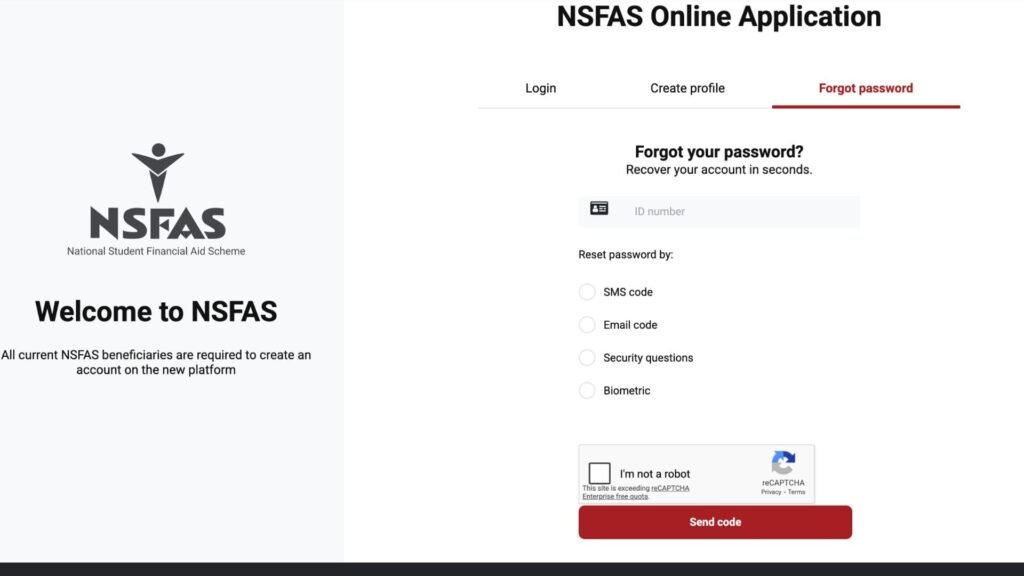
The Solution: Use the “Forgot Password” feature. If the account is locked, you must wait 30 minutes before trying again. If the problem persists, contact the NSFAS help desk. Do not create a new myNSFAS account with the same ID number, as this will cause severe duplication errors.
4: No Confirmation After Cancellation
The Issue: You clicked withdraw, but you did not get a confirmation email or SMS.
The Solution: First, check your spam/junk folder. If it is not there, log back into myNSFAS. If the status still shows “Submitted,” the cancellation did not go through. If it shows “Cancelled” but you have no email, take a screenshot of the status as proof. Then, submit a query to NSFAS asking for written confirmation.
Important Tips and Warnings
Cancelling your NSFAS application is a serious administrative action. To ensure you do not jeopardize your future funding or fall victim to fraud, keep these tips in mind.
Avoid Scams
Scammers often prey on students who are confused about their funding status. Never pay anyone to cancel your NSFAS application. The process is free. Be wary of:
- WhatsApp messages claiming they can “block” your application for a fee.
- Emails from non-@nsfas.org.za addresses asking for your login details to “cancel” your application.
- People posing as “NSFAS agents” offering to help you cancel in exchange for cash.
Watch Deadlines
While you can technically cancel your application at any time, it is best to do so before the NSFAS closing date for applications. If you cancel after the closing date but before funding is allocated, it is still possible. However, if you cancel after the academic year has started and NSFAS has already paid your institution, you may be liable to repay the funds.
Mistakes That Lead to Rejection of Cancellation
- Submitting the wrong reason: If you select a reason that does not match your actions (e.g., selecting “I have alternative funding” when you are just taking a gap year), it might not process correctly.
- Not confirming submission: Simply clicking “Withdraw” without clicking the final “Confirm” button leaves your application active.
- Ignoring follow-up requests: Sometimes NSFAS may ask for additional information before finalizing a cancellation. If you ignore these requests, the cancellation may be rejected.
Frequently Asked Questions (FAQ)
Can I cancel my NSFAS application online after it has been approved?
No. If your application has already been approved (status shows “Approved” or “Funding Eligible”), you cannot cancel it online. You must contact the NSFAS call centre or your institution’s financial aid office to request that they decline the funding offer on your behalf.
Will cancelling my NSFAS application affect my ability to reapply next year?
No, it will not negatively affect you. As long as you cancel voluntarily and do not have any outstanding debt with NSFAS, you are free to reapply in the next academic cycle.
I accidentally cancelled my application. Can I reverse it?
Yes, but only if the cancellation was recent and funding has not yet been allocated. Contact NSFAS immediately and explain the situation. If the cancellation has been processed, you may need to submit a new application.
How do I cancel my NSFAS application if I have lost access to my email address?
You must recover your myNSFAS account first. Contact the NSFAS help desk and provide your ID number. They will guide you through the process of updating your contact details. Once you have access to your account, you can proceed with the cancellation.
Do I need to cancel my application if I am changing universities?
No, you do not need to cancel your application if you are simply changing institutions. You should log in to your myNSFAS account and update your institution and course details before the closing date.
What happens to my NSFAS application if I decide to take a gap year?
NSFAS funding is valid for a specific academic year. If you decide to take a gap year, you must cancel your application. When you return to study, you will need to submit a new application for that academic year.
Conclusion:
Navigating the NSFAS system can feel overwhelming, but knowing how to cancel NSFAS application online gives you control over your student funding journey. Whether you are changing your study plans, accepted a better bursary, or need to take a break from your studies, withdrawing your application ensures that you remain in good standing with the National Student Financial Aid Scheme.
Remember to always use the official myNSFAS portal, keep proof of your cancellation, and never share your login details with anyone. If you encounter any issues that the online portal cannot solve, do not hesitate to contact the NSFAS support team directly. Taking these steps now will safeguard your educational future and ensure a smoother experience when you are ready to apply again.
For the latest updates on application cycles and funding rules, always refer to the official NSFAS website or your institution’s financial aid office.
See also:
1. How To Upload Missing Documents for NSFAS Application
2. How to Reapply for NSFAS Online
3. How to Appeal NSFAS Application Online
4. How to Appeal NSFAS Applicatio – Complete Guide
5. NSFAS Appeal Required Documents
1 comment
I want to cancel my application because I can now pay my instutions