
How To Upload Missing Documents for NSFAS Appeal. Let’s face it: seeing “Missing Documents” on your NSFAS (National Student Financial Aid Scheme) appeal status can send a wave of panic. You’ve taken the step to appeal a funding decision, and now it feels like a technicality could derail everything.
Don’t worry—this is a common hurdle, and it’s completely solvable. This guide is your definitive, step-by-step walkthrough on how to upload missing documents for your NSFAS appeal in 2026. We’ll demystify the process, show you exactly what to do, and equip you with the knowledge to get your appeal back on track, moving you closer to securing the financial support you need for your studies.
What Is an NSFAS Appeal and Why Your Documents Matter
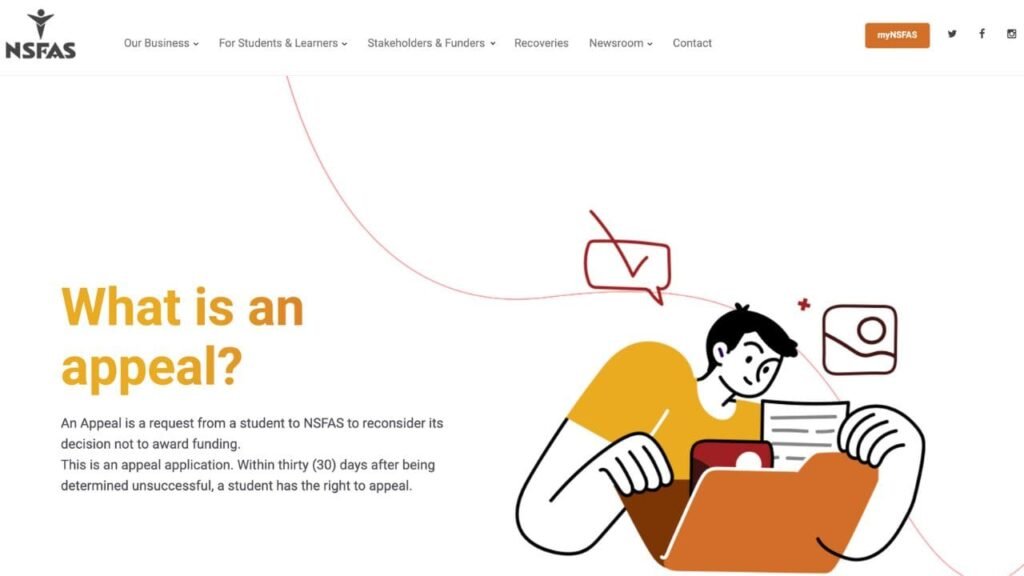
An NSFAS appeal is your formal request for the financial aid scheme to review a decision where your initial application for funding was unsuccessful. When you appeal, NSFAS re-evaluates your application against their funding criteria.
The phrase “Upload Missing Documents” appears when NSFAS has reviewed your appeal but has found that some critical supporting paperwork is absent, incomplete, or unclear. This is not a final rejection. It’s an invitation to provide the correct documentation so they can make a fair assessment.
Why does this matter? Simply put, no documents, no funding. NSFAS uses these documents to verify your household income, family circumstances, academic progress, and identity. Without them, they cannot legally or ethically approve your appeal. Submitting the correct, clear documents is the most critical step in turning your appeal into an approval.
Who This Topic Applies To
This guide is essential for:
- First-Time Applicants whose initial funding application was rejected and who are now in the appeal process.
- Returning University & TVET College Students who have been defunded due to not meeting the N+ rule or academic requirements and are appealing that decision.
- Students with a “Missing Documents” Status on their myNSFAS portal during the appeal window.
- Parents or Guardians who are assisting students with the appeal documentation process.
- SASSA Grant Beneficiaries, who, while often automatically funded, may still need to appeal in certain complex circumstances or if their status has changed.
Requirements and Eligibility for Uploading NSFAS Appeal Documents
Before you upload, ensure you are eligible to appeal. The core requirements hinge on why you were rejected initially.
1. Financial Eligibility (For Means Test Rejections):
- Combined household income must not exceed R350,000 per annum (or R600,000 for students with disabilities).
- Your submitted documents (payslips, affidavits, SASSA letters) must prove this income threshold.
2. Academic Eligibility (For N+ or Academic Performance Rejections):
- University Students: You can appeal if you have not yet exceeded the N+2 rule (N being the minimum number of years of your curriculum).
- TVET College Students: You can appeal if you have not yet exceeded the N+1 rule.
- You must provide compelling reasons for your academic performance (e.g., medical issues, family bereavement) with supporting evidence.
3. Special Cases:
- Students with Disabilities: Required documentation includes a completed Disability Annexure A form.
- Orphans/Vulnerable Children: Documentation from a recognised social worker or relevant court documents.
How To Upload Missing Documents for NSFAS Appeal
Follow these steps precisely. The primary platform for all actions is the myNSFAS portal (my.nsfas.org.za).
Step 1: Log In to Your myNSFAS Account
Visit the official myNSFAS website. Enter your username (usually your ID number) and password. If you’ve forgotten these, use the “Forgot Password” function immediately.
Step 2: Navigate to the ‘Track Appeal’ or ‘Application Progress’ Section
Once logged in, look for a tab or link labelled “Track Funding Progress,” “Check Your Application Status,” or “Appeal Status.” Click on it.
Step 3: Identify the ‘Missing Documents’ Notification
In this section, you should see a clear notification or status update indicating that your appeal requires missing documents. There will likely be a button or prompt that says “Upload Documents” or “Submit Missing Information.” Click on it.
Step 4: Review the Specific Document Request
The system will typically list which specific documents are missing or require re-submission (e.g., “Parent’s Payslip,” “Student’s ID,” “Academic Transcript”). Note each one carefully.
Step 5: Prepare Your Digital Documents
Before uploading, ensure each document:
- Is a clear, colour scan or high-quality photo.
- Is saved in an accepted format: PDF, JPEG, or PNG.
- Is not password-protected.
- Has a file size under 5MB (to ensure successful upload).
- Is correctly named (e.g.,
StudentID_Certificate.pdf,Parent1Payslip_Jan2026.jpg).
Step 6: Upload Each Document Individually
Use the “Browse” or “Choose File” button to select the correct file from your computer or phone. Match the document to the correct category as listed on the portal. Upload each requested item one by one.
Step 7: Submit and Confirm
After all documents are attached, click the final “Submit” or “Save” button. Wait for a confirmation pop-up or on-screen message. Take a screenshot of this confirmation for your records.
Step 8: Monitor Your Status
Allow a few days for processing, then regularly check your myNSFAS portal for status updates. The “Missing Documents” status should change to “Appeal Under Review.”
How to Submit NSFAS Appeal Missing Documents Online
- Applicants can submit these documents online on the MyNSFAS portal:
- Go to https://my.nsfas.org.za/mynsfas/selfservice.html
- Log in to myNSFAS account
- Click on the Documents tab
- A folder will be available to upload documents
- Upload required missing documents
- And press submit
If, for some reason, applicants are unable to upload the documents online, they should email the documents to missingdocuments@nsfas.org.za and use their ID number as a reference.
NSFAS Appeal Documents: The Complete Checklist
Here is a comprehensive list of documents you may need to upload during your appeal, depending on your circumstances.
Mandatory for All Appeals:
- A certified copy of your South African ID (not older than 3 months).
- A signed consent form (often filled digitally on the portal).
Financial Documentation (For Household Income Verification):
- Certified ID copies of parents/guardians/spouse.
- Latest payslips (not older than 3 months) for parents/guardians/spouse.
- If unemployed: Sworn Affidavits stating no income, OR SASSA grant confirmation letters.
- If self-employed: Signed affidavit and recent (3-month) bank statements.
- If deceased: Death certificate(s).
Academic Documentation (For N+ or Performance Appeals):
- Official academic transcript or record from your institution.
- A detailed motivation letter explaining your academic circumstances.
- Supporting evidence for your motivation (e.g., doctor’s letter, death certificate).
Special Circumstances Documentation:
- Disability: Completed Disability Annexure A Form.
- Orphans/Vulnerable Children: Court orders or letters from a registered social worker.
Common Problems and Solutions in NSFAS Appeal Missing Document Upload
Problem 1: “Upload Failed” or Technical Errors.
- Solution: Check your internet connection. Reduce the file size of your documents. Try using a different browser (Chrome or Firefox are most reliable). Clear your browser cache or try from a different device.
Problem 2: The Portal Doesn’t Show an “Upload” Option.
- Solution: This could mean the appeal window is closed, or your appeal hasn’t been flagged for missing documents yet. Contact NSFAS directly via their social media channels (@myNSFAS) or call centre to query your specific status.
Problem 3: Documents Rejected for Being “Unclear” or “Invalid”.
- Solution: Re-scan or re-photograph the document. Ensure all text, numbers, stamps, and certification details are legible. Ensure the certification is recent and includes the commissioner’s official stamp, date, and signature.
Problem 4: Cannot Log In to myNSFAS Account.
- Solution: Use the “Forgot Password” function. If you no longer have access to the registered email/phone number, you must contact NSFAS support to update your details. This process can take time, so start early.
Problem 5: Status Stays on “Missing Documents” After Upload.
- Solution: Processing can take 5-10 working days. Be patient. If it persists beyond that, gather your upload confirmation screenshot and contact NSFAS for a follow-up.
Important Tips and Warnings for Uploading Missing Documents
- Deadlines Are Sacred: The NSFAS appeal window and any subsequent document upload period have strict closing dates. Never wait until the last day to upload; system overload is common.
- Certification is Key: Any copy of an ID, death certificate, or academic record must be certified. An uncertified copy will be rejected.
- Beware of Scams: NSFAS will NEVER ask you for your password, OTP, or to upload documents via email, WhatsApp, or Facebook. Only use the official myNSFAS portal.
- Keep Everything: Maintain a dedicated folder (digital and physical) with copies of every single document and screenshot you submit.
- Name Files Clearly: Avoid vague names like “scan1.jpg”. Proper naming helps avoid processing confusion.
- Motivation Letters Matter: For academic appeals, your letter must be honest, respectful, and factual. Explain “what happened,” “what you learned,” and “your plan to succeed going forward.”
Frequently Asked Questions (FAQ)
Q1: How long does it take for NSFAS to review my uploaded documents?
A: After uploading, allow 10-14 working days for the status to update. The full appeal review can take several weeks.
Q2: Can I upload documents via email instead of the portal?
A: No. NSFAS does not accept appeal documents via email. You must use the official upload function on your myNSFAS account.
Q3: What if my parent doesn’t have a payslip or is paid in cash?
A: A sworn affidavit stating their income, accompanied by 3 months of bank statements showing cash deposits, is required.
Q4: I uploaded the wrong document. What do I do?
A: If the portal allows, you can delete and re-upload before final submission. If already submitted, you may need to contact NSFAS support to request the record be unlocked, or wait to see if they reject it and request it again.
Q5: How will I know the outcome of my appeal?
A: The result will be displayed on your myNSFAS portal. NSFAS may also send an SMS notification. Check your portal regularly.
Q6: Does “Missing Documents” mean my appeal is rejected?
A: Absolutely not. It is a request for information. Your appeal is still active, but it cannot proceed until you provide what’s needed.
Conclusion:
Navigating the NSFAS appeal missing documents upload process can feel stressful, but it’s a hurdle designed to ensure fairness and accuracy. By following this guide, you’re taking control of the situation. You have the knowledge to prepare correctly, upload successfully, and avoid common pitfalls.
Remember, this step is your opportunity to strengthen your appeal. Provide clear, honest, and certified documentation. Be patient but persistent in monitoring your status. Your education is worth this effort. Take a deep breath, log in to your myNSFAS account, and submit those documents with confidence. Your funding journey is still very much on track.
1. Does NSFAS Fund Someone Who Is Repeating Grade or Module?
2. Who Qualifies for NSFAS Funding – Complete Guide
3. NSFAS Eligibility Requirements for Funding – Complete Guide
4. NSFAS South Africa Student Funding Eligibility – Complete Guide
5. NSFAS Provisional Funding Eligibility Requirements